2025 Senior Canva Frame: Graduation Cap Templates
Celebrating a senior year milestone is all about capturing the moment, but finding the right graphic assets can often be a time-consuming hurdle. Whether you are a photographer editing hundreds of portraits, a parent creating memory boards, or a small business owner designing merchandise for a local high school, consistency is key. The 2025 Senior Canva Frame collection, specifically featuring the iconic Graduation Cap design, offers a streamlined solution for this exact challenge. This digital product bridges the gap between professional graphic design tools and user-friendly editing, allowing you to create polished visuals without needing a degree in art history.
Understanding the Asset: What You Actually Get
Before diving into the creative applications, it is essential to understand the technical nature of this product. There is a common misconception with digital downloads that you are purchasing a finished, static image. Instead, you are purchasing a workflow tool. When you download this package, you will receive a single zip file. Inside, there is a PDF containing a direct link. This link grants you access to the Canva template. The canvas size is a generous 4000x4000 pixels, which provides ample resolution for both screen display and physical printing.
It is vital to note that this is a Canva Frame Template. It is not an SVG file, nor is it designed for use with Cricut Design Space or Silhouette cutting machines. If your goal is to cut physical vinyl decals, this specific file type will not work for that purpose. However, if your goal is to overlay graphics onto photos or create digital marketing materials, this is exactly what you need. You will need a free Canva account to access and edit the template. However, if you intend to download the final result with a transparent background, a Canva Pro subscription is required.
The Visual Appeal of the Graduation Cap Frame
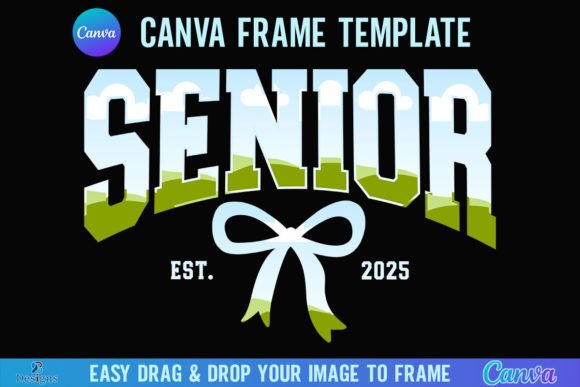
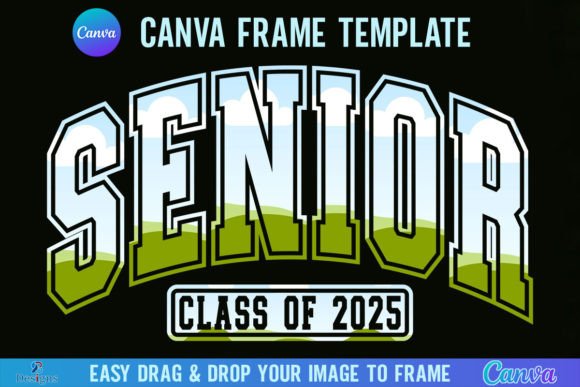
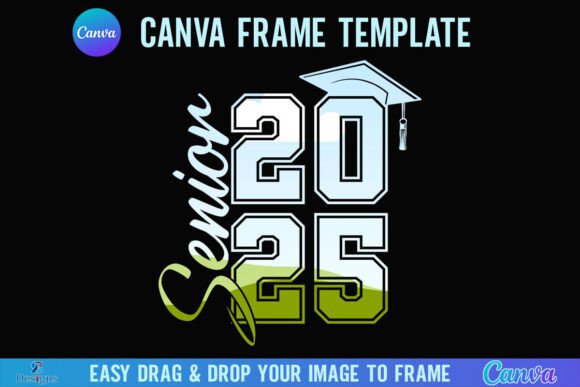
Visually, the "Graduation Cap" theme within the 2025 Senior Canva Frame collection is designed to be timeless yet trendy. It captures the "modern typography" aesthetic that is currently dominating social media feeds. The frame acts as a digital mask. The design usually features the silhouette of the mortarboard, often incorporating the tassel as a dynamic design element that draws the eye.
The personality of this asset is celebratory and bold. It does not try to be subtle; it is meant to scream "achievement." For brand identity purposes, this frame communicates authority and transition. It tells the viewer that the subject has reached a significant point in their life. For small business owners—specifically those in the photography or event planning sectors—using this creative font style and frame set helps establish an immediate emotional connection with the audience. It is a visual shorthand for success.
Practical Applications for Designers and Marketers
How you use the 2025 Senior Canva Frame depends heavily on your specific role. The versatility of this asset allows it to function across various mediums, from digital to print.
For Photography and Senior Portraits
The most direct application is for photographers. After a senior portrait session, you can use the frame to create "sneak peeks" for Instagram or Facebook. Instead of just posting a raw photo, you drag and drop the image into the Canva frame. This instantly elevates the social media graphics from a casual snapshot to a branded marketing asset. It helps with visual hierarchy, ensuring the viewer’s eye goes straight to the graduate's face, framed by the cap graphic.
For Event Decor and Party Supplies
If you are a crafter or a hobbyist planning a graduation party, the 4000x4000 pixel size is a massive advantage. You can use this for packaging design elements, such as stickers for party favors, or for large-format printing like welcome signs and banners. Because the file is so large, you can scale it down without losing quality, but you can also print it quite large for editorial design or poster layouts.
For Marketing and Branding
Entrepreneurs selling graduation merchandise—think t-shirts, mugs, or yard signs—can use the frame to mock up products. It serves as a premium font style element that adds a layer of professionalism to your logo design drafts or promotional flyers. By maintaining the same frame across all your 2025 graduation products, you build brand consistency and recognition.
Technical Workflow: Drag, Drop, and Edit
The usability of the 2025 Senior Canva Frame relies on Canva’s "Frames" feature. For those unfamiliar, a frame in Canva acts like a window or a mask. Here is how the process works for the end-user:
- Access the Link: Open the PDF and click the link to open the template in your browser.
- Upload Your Image: On the left-hand side of the Canva editor, go to "Uploads" and drag in your PNG or JPG background image.
- Drag and Drop: Take your uploaded image and drag it directly over the frame shape. The image will automatically snap into place, cropping to fit the graduation cap silhouette.
- Adjust: You can double-click the image inside the frame to reposition the subject’s face or zoom in/out to get the perfect composition.
This workflow is significantly faster than using complex software like Photoshop for simple masking tasks. It democratizes the design process, allowing people without technical skills to produce professional-looking design assets.
Evaluating Fit and Readability
When incorporating the 2025 Senior Canva Frame into a larger project, you must consider readability and context. Because the frame is a graphic element with high visual weight, it can dominate a layout. If you are placing this frame on a flyer that also contains important text (like event times or locations), ensure there is enough negative space.
Avoid "visual noise." If the graduation cap frame is highly detailed or textured, pair it with a clean sans serif font for your body text. If the frame is sleek and minimal, you might get away with a script font or handwritten font for a more personal touch. The goal is font pairing and element pairing that feels balanced. You want the frame to support the message, not compete with it.
Furthermore, consider the typeface choices you make outside of the frame. The 2025 graduation theme often pairs well with modern, geometric fonts. Avoid using overly ornate or vintage serif fonts unless you are going for a specific retro aesthetic, as this might clash with the contemporary vibe of the Canva frame.
Commercial Usage and Licensing Considerations
For marketers and business owners, the commercial viability of an asset is just as important as its look. Since this is a template file, the usage rights generally allow you to create end products for sale (like printed invitations or social media posts for clients), provided you are not reselling the template file itself.
However, always double-check the specific license attached to the digital download. If you are using the 2025 Senior Canva Frame to create products for a client, you want to ensure you have the rights to transfer that design. The transparency feature—downloading without a background—is particularly useful for placing the cap graphic onto colored t-shirts or dark backgrounds. Remember, this specific export function requires the paid version of Canva.
Final Thoughts on Value
The 2025 Senior Canva Frame, Graduation Cap is more than just a digital sticker; it is a production tool. It streamlines the creation of graduation-themed content, ensuring that your visuals look cohesive and professional. Whether you are a blogger documenting your child’s journey, a photographer packaging your services, or a designer creating a suite of graduation cards, this asset provides the structure you need. By understanding the technical requirements (the zip file, the PDF link, the Canva account) and applying solid design principles regarding layout and pairing, you can turn this simple template into a powerful component of your creative toolkit.