Streamline Your Stationery Design with Canva Frame Templates
Creating high-quality physical products like pen display cards often feels like a battle between professional design software and accessible tools. For many designers, entrepreneurs, and crafters, the goal is to produce polished, retail-ready packaging without the steep learning curve of complex vector software. This is where the Pen Display Card Canva Frame Template_3 steps in, offering a bridge between custom design and efficient production. It is not a static image or a basic vector file; it is a fully editable Canva template designed specifically for modern creators who value both aesthetics and workflow.
Understanding the Editable Canva Frame Advantage
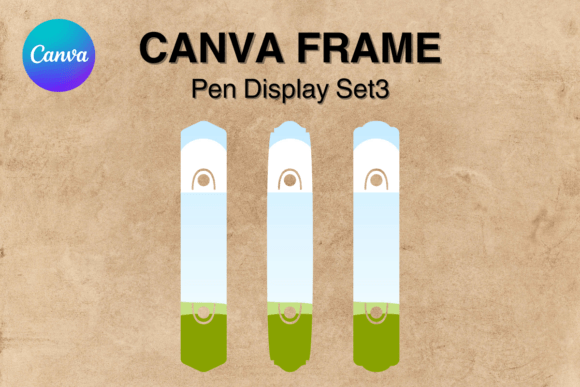
When we talk about the Pen Display Card Canva Frame Template_3, we are discussing a specific category of design assets built for versatility. This digital product provides a link to a custom Canva template that you can edit directly in your browser. The template features a single size of 1.8 x 9.8 inches, which is the industry standard for pen cards, allowing your product to hang neatly on retail pegs or display stands.
The core of this template is the "frame" functionality. Imagine a digital cutout or window. You simply drag and drop your artwork, logo, or pattern into this frame, and Canva automatically clips it to the correct dimensions. This eliminates the guesswork of sizing and cropping. Because the template utilizes a transparent layer, the final exported file is perfect for vinyl sublimation and printing. You are not printing a white background; you are printing only the design elements, which is essential for professional packaging where the card stock color needs to show through or where specific cut lines are required.
Visual Characteristics and Practical Application
The visual personality of the Pen Display Card Canva Frame Template_3 is defined by its clean, utilitarian structure. It does not dictate your brand identity; rather, it supports it. The frame acts as a container for your creativity. Whether you are using a bold display font for a logo or a delicate script font for a tagline, the frame ensures these elements remain contained within the printable area.
This template is particularly useful for those who need to maintain consistency across a product line. If you are a small business owner selling handmade pens, you likely have multiple styles or colors. Using this Canva frame, you can quickly swap out background colors or patterns for different pen models while keeping the logo placement and text hierarchy identical. This consistency is a cornerstone of professional editorial design and packaging design. It builds trust with your customer, signaling that you pay attention to detail.
Integrating Typography and Brand Strategy
While the template handles the layout, the typography you pair with it defines the voice. Since the template is editable, you have complete control over the font pairing. For a luxury pen brand, you might choose a combination of a classic serif font for the product name and a clean sans serif font for the specifications. This contrast creates a clear visual hierarchy, guiding the customer's eye from the brand name to the product details.
Conversely, if your brand targets a younger, more artistic demographic, you might opt for a handwritten font or a modern typography style. The Pen Display Card Canva Frame Template_3 accommodates these choices easily. Because Canva allows you to upload your own premium fonts, you are not limited to standard library options. This ensures your logo design and card text remain unique and proprietary to your brand.
The influence of these choices on audience engagement is significant. A well-chosen typeface that aligns with the product—such as a vintage-style font for artisanal wooden pens—creates an emotional connection before the customer even touches the product. It sets expectations about quality and style. If the typography looks disjointed or amateurish, it can undermine the perceived value of the item inside the packaging.
Production, Workflow, and Commercial Use
One of the most practical aspects of this digital file is the workflow efficiency it offers. Traditional design often involves exporting from software like Illustrator, checking margins, and ensuring the file format is compatible with your printer. With this editable Canva template, the process is streamlined. Once your design is complete, you can download the file as a PNG with a transparent background. This file is immediately ready for your sublimation printer or vinyl cutter.
It is important to note the distinction here: this is NOT an PNG or SVG file sent to you as a static asset. It is a living template. This distinction matters for long-term scalability. If you decide to change your brand colors next season, you simply open the Canva link, make the edits, and export new files. You don't need to hire a designer to reconstruct the file.
For those concerned about commercial licensing, the nature of Canva templates generally allows for commercial use of the end product—the printed card. However, it is always best practice to ensure your specific fonts and images within the template are licensed for commercial sale. When using the Pen Display Card Canva Frame Template_3, you are creating a physical good for resale, which is the intended purpose of such design assets.
Readability and Final Adjustments
When finalizing your design within the frame, pay close attention to readability. The dimensions (1.8 x 9.8 inches) are narrow and tall. This vertical orientation is excellent for stacking information, but it requires careful management of line spacing and font size. Avoid using a highly ornate creative font for small details like care instructions or website URLs. Instead, reserve the decorative typefaces for the headline and use a legible sans serif for the fine print.
Test your design by printing a single proof on standard paper before committing to expensive cardstock or sublimation paper. Check that the text sits comfortably within the frame boundaries. The "drag and drop" nature of the template makes resizing easy, but ensure that scaling up your text doesn't result in pixelation if you are using raster images within the design. For text, vector quality is maintained, but for background textures, use high-resolution images to ensure a crisp, professional finish on the final pen display card.