Myo Yoto Card Canva Template: A Creative's Guide to Custom Cards
For designers, crafters, and small business owners, the ability to produce unique, high-quality physical products is a significant advantage. The Myo Yoto Card Canva Template is a specialized digital asset that bridges the gap between digital design and tangible creation, specifically for the popular Yoto audio player ecosystem. This isn't just a blank canvas; it's a structured, professionally formatted starting point designed to save you hours of setup time and technical frustration.
Understanding the Template's Core Components
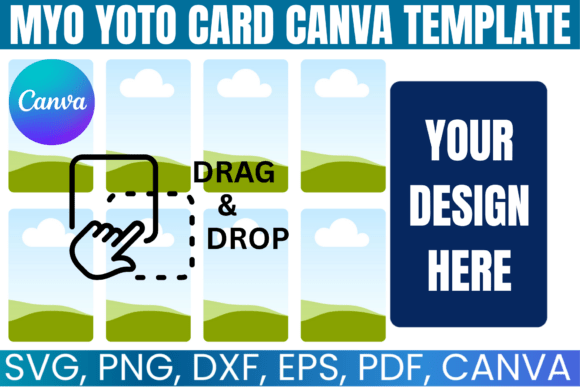
At its heart, the Myo Yoto Card Template provides a precise, pre-measured layout that corresponds to the dimensions of a standard Yoto card. This eliminates guesswork and ensures your final printed and cut product will function perfectly with the player. The visual appeal lies in its clean, uncluttered design. It typically features a designated area for the card's front artwork, a clear zone for the NFC tag placement on the reverse, and helpful margin guides. The style is utilitarian and professional, acting as a neutral foundation that allows your own creative vision—whether it's whimsical illustrations for a child's story or sleek, branded graphics for a corporate audio guide—to take center stage.
The true value, however, is in its versatility. Delivered as an instant digital download, the package includes multiple file formats to suit different design workflows. The Canva link is the star for many users, offering a straightforward, browser-based editing experience with drag-and-drop simplicity. For those who prefer desktop software, the SVG, DXF, and PNG files ensure compatibility with Cricut Design Space, Silhouette Studio, Adobe Photoshop, Illustrator, and other vector-based programs. This multi-format approach makes it a robust piece of design assets for any creative toolkit.
Practical Applications for Creative Professionals
The applications for this template extend far beyond simple holiday gifts, though it excels at creating personalized Christmas MYO Card Designs. Consider its utility across various professional contexts:
- Brand Identity & Marketing: A boutique hotel could create a series of custom Yoto cards as a unique guest amenity, featuring audio tours of the property or local stories. The template ensures each card aligns with the hotel's brand identity, using consistent colors, fonts, and imagery from their existing packaging design and web design systems.
- Publishing & Content Creation: Authors and podcasters can use the DIY Yoto Card system to offer exclusive audio content. A children's book author might design a companion card with a read-aloud version. The template's structure helps maintain a professional visual hierarchy, ensuring the title, author name, and artwork are presented clearly, much like in editorial design.
- Small Business & Entrepreneurship: Etsy sellers and small studios can offer a custom Yoto card service. Using the Myo Yoto Card Canva Template as a base, they can quickly produce client-specific designs, from personalized lullabies to branded training modules. The lifetime access model makes it a cost-effective tool for ongoing production.
- Personal Projects & Hobbyists: For families, the joy is in the creation. Grandparents can record stories for grandchildren, or families can compile favorite songs onto a single, beautifully designed card. The process of using the template to make your own drawing card becomes a cherished activity in itself.
Integrating with Your Design Workflow
Choosing to use the Myo Yoto Card Template is a practical decision about efficiency. It solves the initial technical hurdle of file setup, allowing you to focus immediately on the creative work. When evaluating its fit for your project, consider the end-use. For commercial applications, ensure your final design and the audio content you pair it with comply with Yoto's terms of service, as the template is licensed for personal use only in its raw form—meaning you cannot resell the template file itself, but you can sell the finished, physical cards you create.
The template's compatibility with major design software like Canva and Adobe products means it slots neatly into existing workflows. You can apply your own modern typography, using a sans serif font for clean readability or a handwritten font for a personal touch. Pair it with a complementary serif font for any descriptive text. The blank canvas nature allows for full customization, but always prioritize readability and clear iconography, especially for cards intended for children.
In essence, the Myo Yoto Card Canva Template is more than a file; it's a gateway to creating meaningful, interactive audio experiences. It empowers designers and creators to produce a physical product that feels both professional and deeply personal, leveraging the convenience of a well-structured digital product to bring audio stories, music, and messages to life in a uniquely tangible way.