Unlocking Custom Sublimation with Canva Frames
A New Approach to Personalized Typography
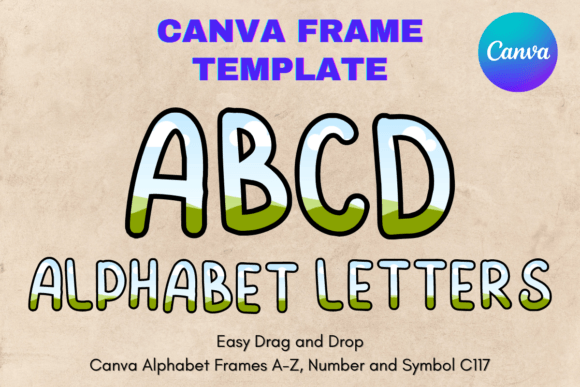
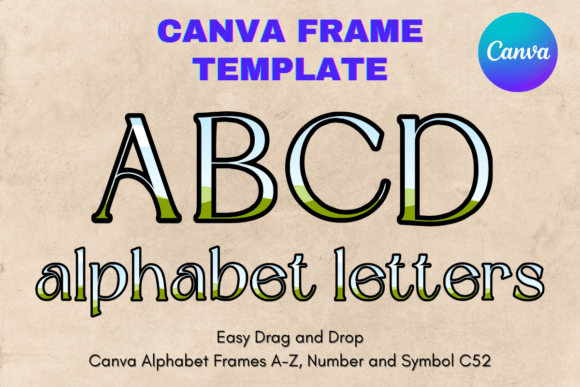
There is a distinct difference between typing out a word and designing a letter. When we talk about typography in the context of sublimation and crafting, we are often looking for that perfect balance between structure and creativity. The Canva Letters Frame Alphabet Template_52 offers a sophisticated solution for designers, entrepreneurs, and hobbyists who want to move beyond standard pre-made graphics. It is not merely a font file; it is an editable framework that changes how you approach custom lettering for your projects.
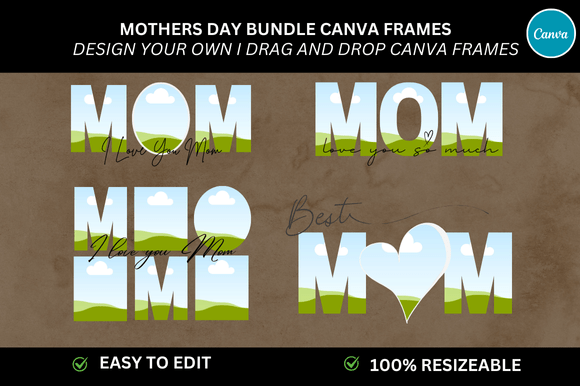
Visually, this template set is built on a foundation of versatility. Because it functions as a frame within the Canva ecosystem, the "personality" of the letterforms is defined by what you place inside them. The structure of the frames provides a consistent baseline and height, ensuring that your final output looks professional and balanced. Whether you are working on logo design elements, creating social media graphics, or preparing physical products like mugs and t-shirts, the appeal lies in the control it gives you. You are not locked into a specific color palette or texture; you are given the architecture to build upon.
The Practicality of Editable Frames
One of the most common hurdles in digital design is the barrier between a static asset and a customizable one. Many design assets come as flattened PNGs or SVGs where changing the background pattern or internal fill requires advanced software skills. The Canva Letters Frame Alphabet Template_52 bypasses this complexity by utilizing Canva’s native "frame" functionality.
This approach is incredibly helpful for maintaining visual hierarchy in your work. For instance, if you are a small business owner creating a brand identity for a new product line, you might need specific textures or patterns to represent your brand voice. Instead of paying a designer to manipulate every letter individually, you can simply drag and drop your chosen patterns directly into these letter frames. This ensures that every letter shares the exact same internal styling, creating a cohesive look across your packaging design or editorial design layouts.
From a workflow perspective, this is a game-changer for content creators. Imagine you are a blogger needing a specific header image for a holiday post. You want the text to look like it is made of gingerbread or perhaps adorned with floral patterns. Using this template, you can achieve that modern typography look without needing to master complex masking tools in Photoshop. The drag-and-drop nature of the file means you can iterate quickly, testing different looks in minutes rather than hours.
Strategic Applications for Branding and Marketing
When considering font pairing and broader design strategy, the Canva Letters Frame Alphabet Template_52 acts as a bold display element. In the hierarchy of typography, you typically have your body text (often a clean sans serif font or readable serif font) and your display text. These frames are designed to be the star of the show. They work best for headlines, monograms, and focal points where you want to capture immediate attention.
For marketers and entrepreneurs, visual recognition is currency. Using a consistent visual treatment for your headers can significantly boost brand recall. By using these frames to incorporate your brand colors or signature textures, you create a unique visual language. It bridges the gap between a standard script font or handwritten font and a fully customized graphic. It allows you to create a premium font aesthetic without the premium price tag of commissioning a custom typeface from scratch.
Technical Considerations and File Usage
It is important to clarify what this asset is to ensure it fits your technical needs. The Canva Letters Frame Alphabet Template_52 is a digital file—specifically a PDF containing the link to the Canva template. It is not an SVG or PNG file meant for immediate import into cutting machines without prior editing. It is an editable Canva frame template.
The workflow is straightforward:
- Access the template via the link provided in your PDF.
- Upload your desired image or pattern to Canva.
- Drag that image into the letter frames; Canva automatically crops the image to fit the letter shape.
- Download your creation.
This method is particularly effective for vinyl sublimation and heat transfer projects. The output is high-resolution, allowing you to scale the letters to suit your specific needs, whether for a small accessory or a large sign. The transparency of the design process ensures that you are creating web design assets or print files that look crisp and professional.
Evaluating Fit for Your Creative Projects
Not every project requires a complex frame system, but for the right application, it is invaluable. This resource is ideal for those who value creative font versatility. If you are a crafter looking to make personalized gifts, the ability to put a photo inside a letter is a classic, sentimental touch. If you are a publisher or content creator, using these frames for drop caps or pull quotes can elevate the perceived value of your publication.
When deciding if this is the right tool for you, consider your need for customization versus your need for speed. If you need a standard alphabet for body text, a traditional typeface is better. However, if you need to make a statement—whether in a logo, a poster, or a product mockup—the Canva Letters Frame Alphabet Template_52 provides a robust, user-friendly foundation. It empowers you to create consistent, high-quality visual content that resonates with your audience and strengthens your design strategy.